
SNS VPN1.2 - Get APK
You'll be able to download in few seconds.
Publisher Description
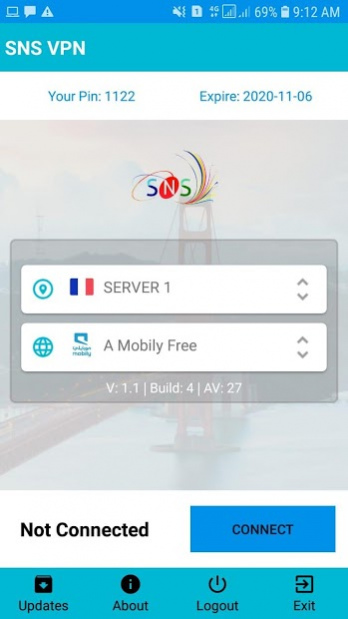
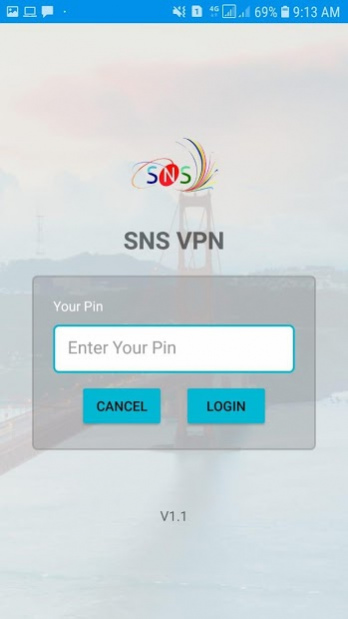
This VPN is Working Best for DNS, TLS, SSL, HTTP, PPTP, HTTPS, L2TP, SSTP, TCP & MMS Protocol.
Simple and Secure VPN for internet browsing. Fast Connect High Speed internet National & internationaly imo, What'sApp, Messager, Skype, Viber, Zoom, Google Browsing, YouTube & VOiP Calling 100% Clear Voice Audio, Vedio Call UnBlocking VPN.
SNS VPN protects your internet session and helps you access content that is restricted by your ISP, this works because your data is securely transported through our very fast and secure servers that have unlimited access to the web, which also means that your real IP address is hidden from the web, providing you security and anonymity.
👉 Location SSH Server & VPN Server:
- United States
- United Kingdom
- Unaited Arab Emirates
- Saudi Arab ( KSA )
- Oman
- Qatar
- Maldives
- Malaysia
- Kuwait
- Brunei
- Canada
- Japan
- Netherlands
- Germany
- Egypt
- India
- Bangladesh
- Pakistan
- Nepal
- Singapore
- Indonesia
& more servers available.
Features of this VPN are below:
- 100% user friendly.
- 50+ servers.
- Tweaks for different network settings.
SNS VPN the OpenVPN SSL Tunnaling App & Paid VPN Sulotion.
This is simple app for connect with VPN Mode to many server options.
Additional features:
- Account Create App.
-Voucher Tupup App
- SSL Tunneling in VPN Mode
- Openvpn Tunneling in VPN Mode
- SSL Tunneling in VPN Mode.
- PayLoad
- 60+ MBPS Speed https://fast.com
- Online Update
-for Games and video/voice calls.
-Whatsapp Call/Voip Calls.
* Protect your privacy, keep you safe from 3rd party tracking
* Unblock geographically restricted websites
* No sattings required.
*Just Payload Salact
* No speed limitation, no bandwidth limitation
* One-click to connect VPN
Thanks.
Web & Penal : www.coronavpn.us
Mail : sales.snsvpn@gmail.com
ProvidBy : SNS VPN Company
About SNS VPN
The company that develops SNS VPN is Mobile VPN. The latest version released by its developer is 1.2.
To install SNS VPN on your Android device, just click the green Continue To App button above to start the installation process. The app is listed on our website since 2020-10-31 and was downloaded 0 times. We have already checked if the download link is safe, however for your own protection we recommend that you scan the downloaded app with your antivirus. Your antivirus may detect the SNS VPN as malware as malware if the download link to initux.soft.dev.snsvpn is broken.
How to install SNS VPN on your Android device:
- Click on the Continue To App button on our website. This will redirect you to Google Play.
- Once the SNS VPN is shown in the Google Play listing of your Android device, you can start its download and installation. Tap on the Install button located below the search bar and to the right of the app icon.
- A pop-up window with the permissions required by SNS VPN will be shown. Click on Accept to continue the process.
- SNS VPN will be downloaded onto your device, displaying a progress. Once the download completes, the installation will start and you'll get a notification after the installation is finished.
Program Details
System requirements
Download information
Pricing
Version History
version 1.2
posted on 2020-10-31
Fix Bug
Disclaimer
External Download
We do not host SNS VPN on our servers. We did not scan it for viruses, adware, spyware or other type of malware. This app is hosted by Galad and passed their terms and conditions to be listed there. We recommend caution when installing it.
The APK Download link for SNS VPN is provided to you by apps112.com without any warranties, representations or guarantees of any kind, so access it at your own risk.
If you have questions regarding this particular app contact the publisher directly. For questions about the functionalities of apps112.com contact us.
